

I already had WSL2 and hoped to throw VMware into the trash bin completely, but today I discovered that WSL2 doesn’t support USB devices… So I had to dig out VMware again and install Linux on it.
Then apt install reported NO PUBLIC KEY again…
Determine the Digest of the PUBLIC KEY to Add
Why is there only one image? Because I’m lazy, so I only uploaded one image that covers all the steps (dog head
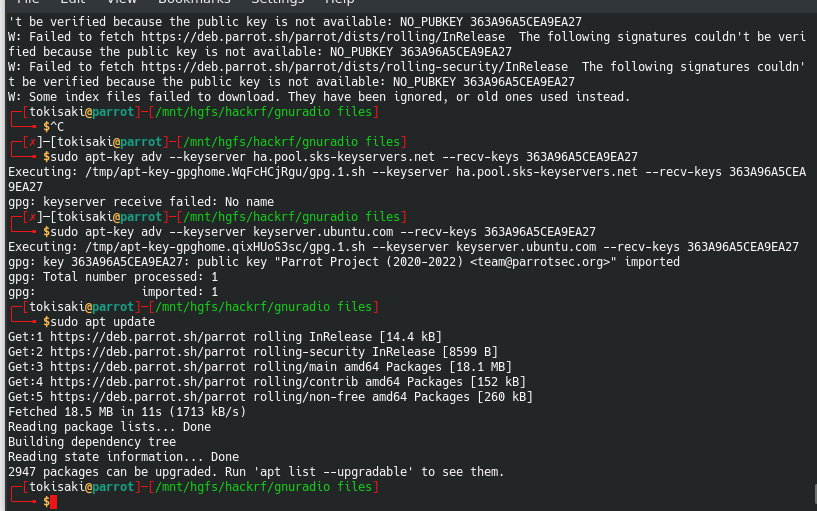
After apt update, it will report the public key is not available: NO_PUBKEY XXXXXXXXX
Write down this XXXXXXX.
Add the PUBLIC KEY
sudo apt-key adv --keyserver keyserver.ubuntu.com --recv-keys XXXXXXX
emmm, actually when I first ran into this weird problem I was completely baffled. I searched on Baidu, which said to use the address ha.pool.sks-keyserver.net, but it turned out to be inaccessible. (Baidu is garbage.)
Finally, when I had no other choice (couldn’t find anything), I tried treating a dead horse as a live one and used Ubuntu’s keyserver for ParrotSec. To my delight, it worked. Maybe it’s because they’re both half-brothers of the same father (Debian).