

!!! Starting April 2024, Microsoft began cracking down on E5 subscriptions on a large scale, banning many accounts. It is not recommended to try the methods in this article!!!
Actually, I started working on this at the end of last year. Along the way I thought about writing an article on how to get it for free, but I was worried it wouldn’t renew, so I put it off until now.
What is Office E5
Office 365 Developer E5 is provided for developers. By applying to the Office 365 Developer Program, you can get a free 3-month Office 365 E5.
After successful registration, you get the full suite of Office 365 for 90 days, and each person gets a 5T OneDrive. (Up to 25 users can be added under this license, which is equivalent to 25 Office 365 subscriptions, or 5T×25 of OneDrive capacity)
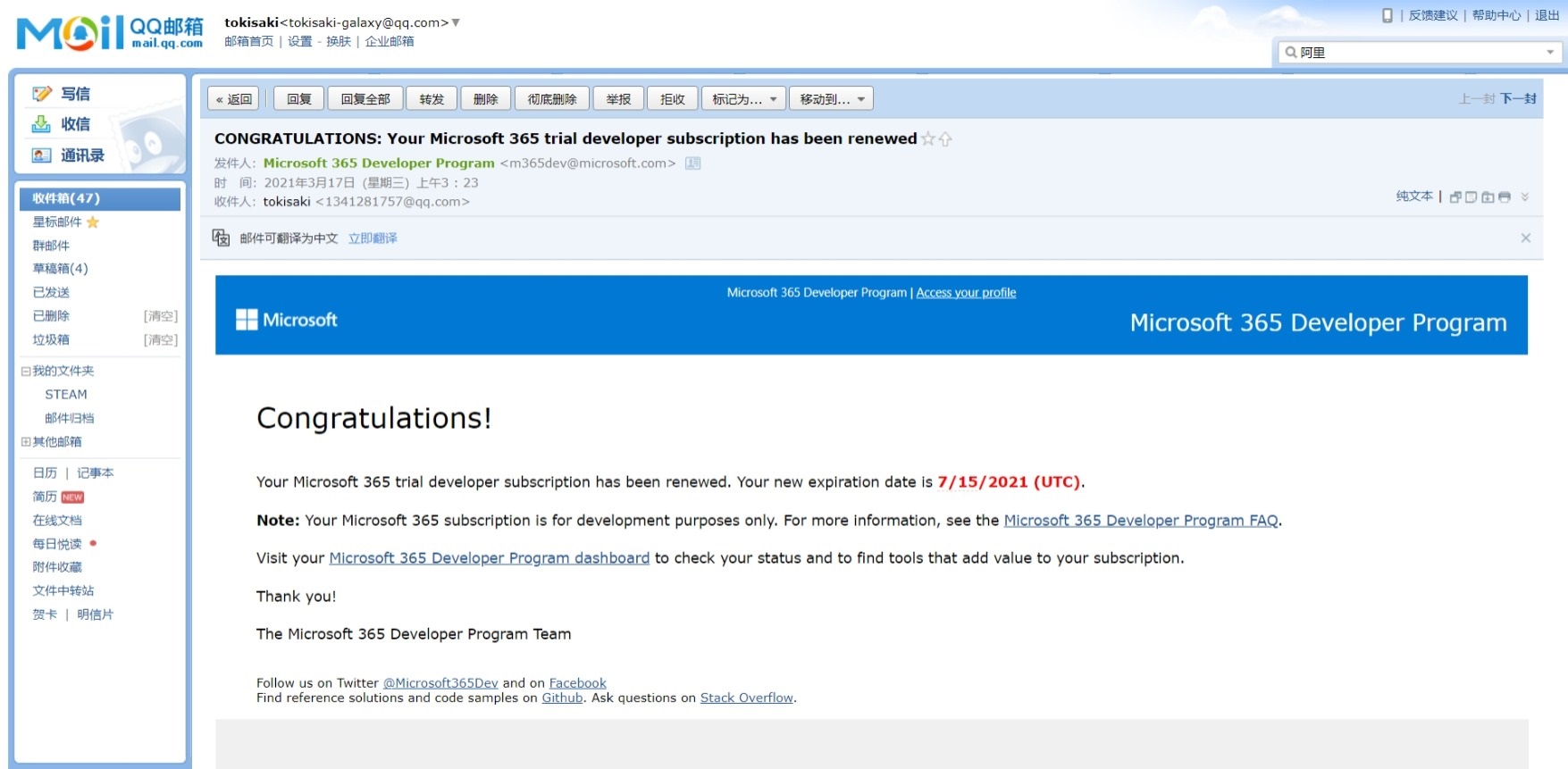
When the 90 days are almost up, if Microsoft thinks you’re a developer, it will automatically renew and give you another 90-day subscription, along with a renewal success email. Some people online say that if you reach the end of the 90 days, Microsoft will give you some time to back up your data, then delete your data. If you reach this stage, back up obediently (I’ve never reached this stage, you can take the gamble)
By the way, here’s the renewal success email
Application Tutorial
Applying for Office E5
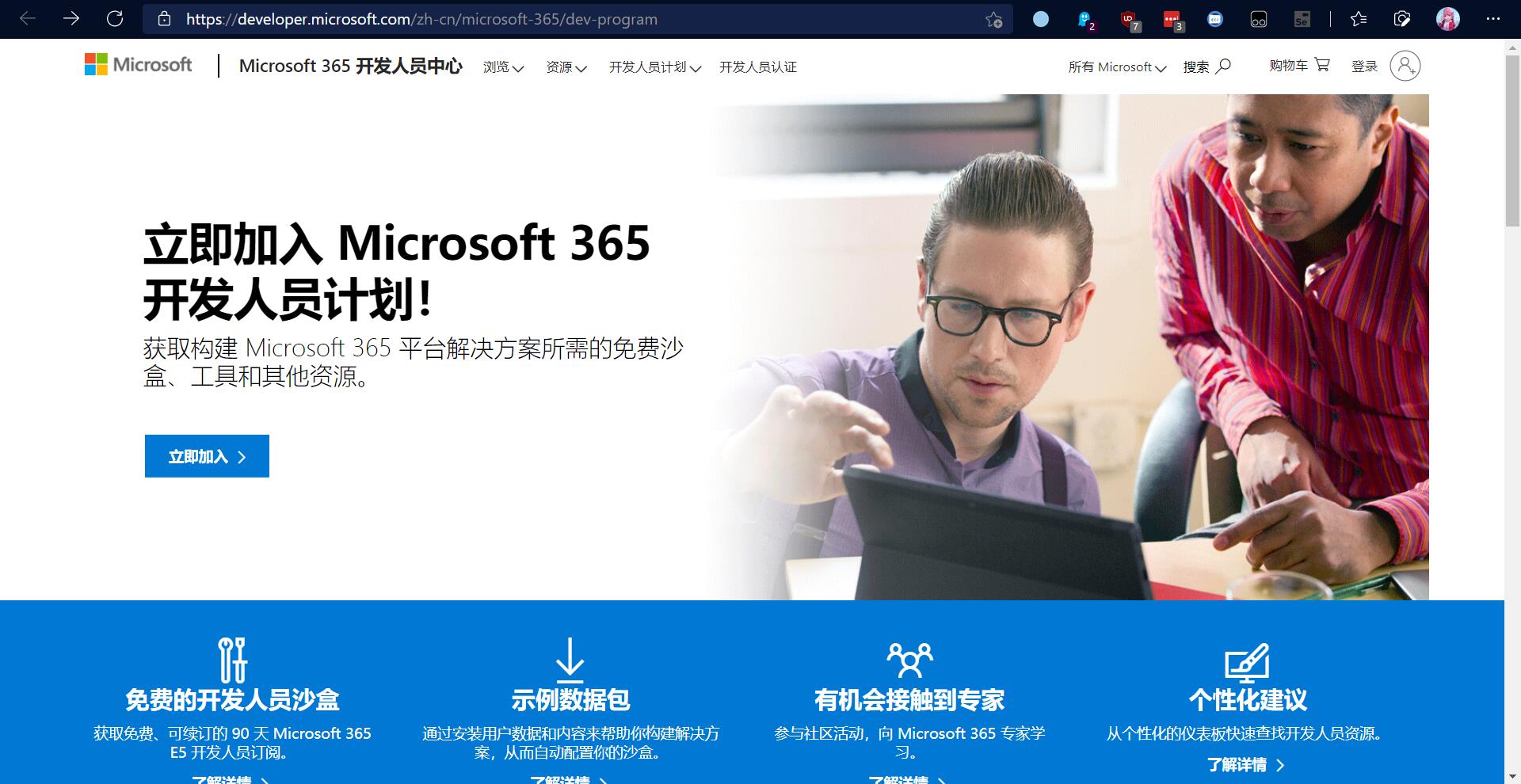
1.Go to the official website, then click “Join now”.
Log in with your Microsoft account
After logging in, fill in the country/region and basic info - no need to explain, just write it yourself
Creating the Subscription
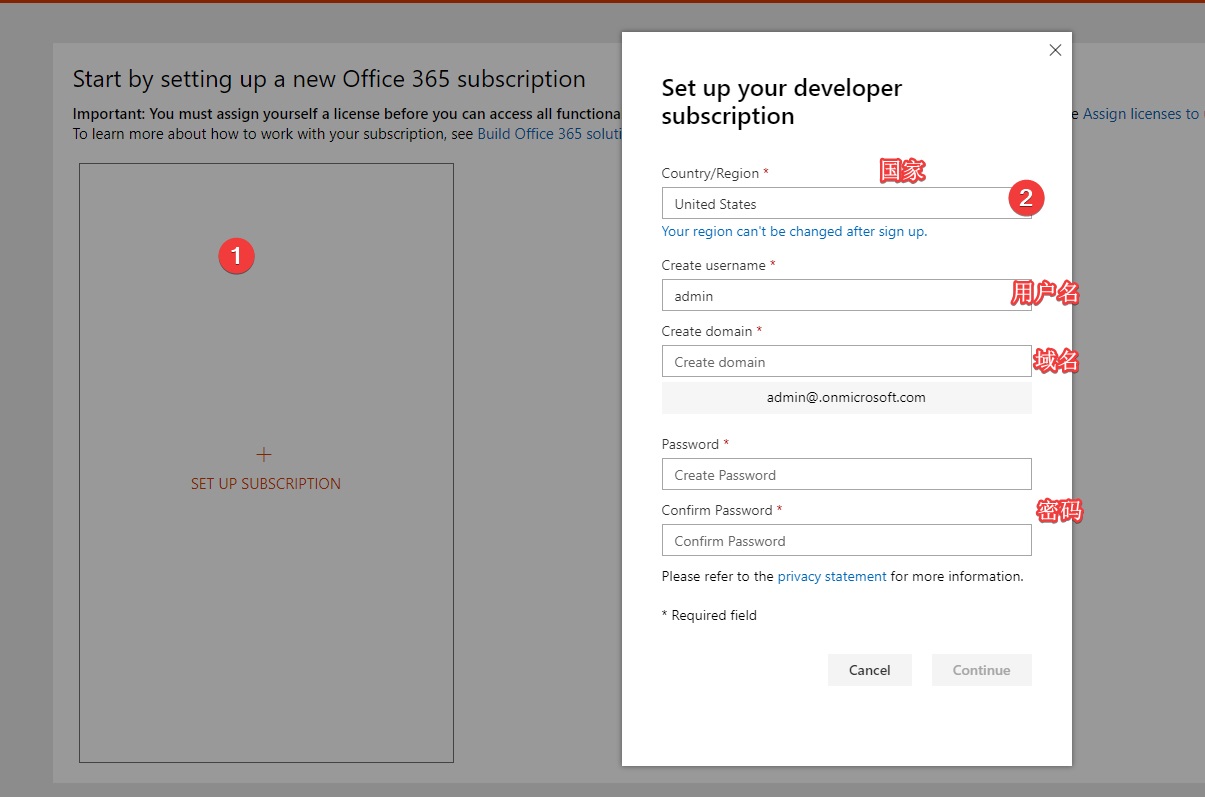
This step is critical,
The first field, country, means where your OneDrive data etc. is stored. For example, if I choose US, my data is placed in Microsoft’s US data center. So choose according to your actual location. (Of course, generally speaking, if everywhere is far away, pick the US, because the US has excellent network infrastructure, and setting up a cloud drive later will also be faster)
The second field, username, is up to you - pick admin, root, or iamsb, whatever.
The third field, domain, is the suffix for logging in. It’s a free subdomain given to you by Microsoft. It’s also a suffix for an email address.
Just write whatever you like, as long as it hasn’t already been registered. But note, once registered, it can’t be changed.
 Then it will ask you to verify a phone number. A domestic (China) number works too.
Adding the License
Continuing from above, after verifying your phone number you’ll be redirected to this page, (of course, yours should show 91 days; mine shows 120 because it’s been renewed). Click the button outlined in red to enter the admin panel.
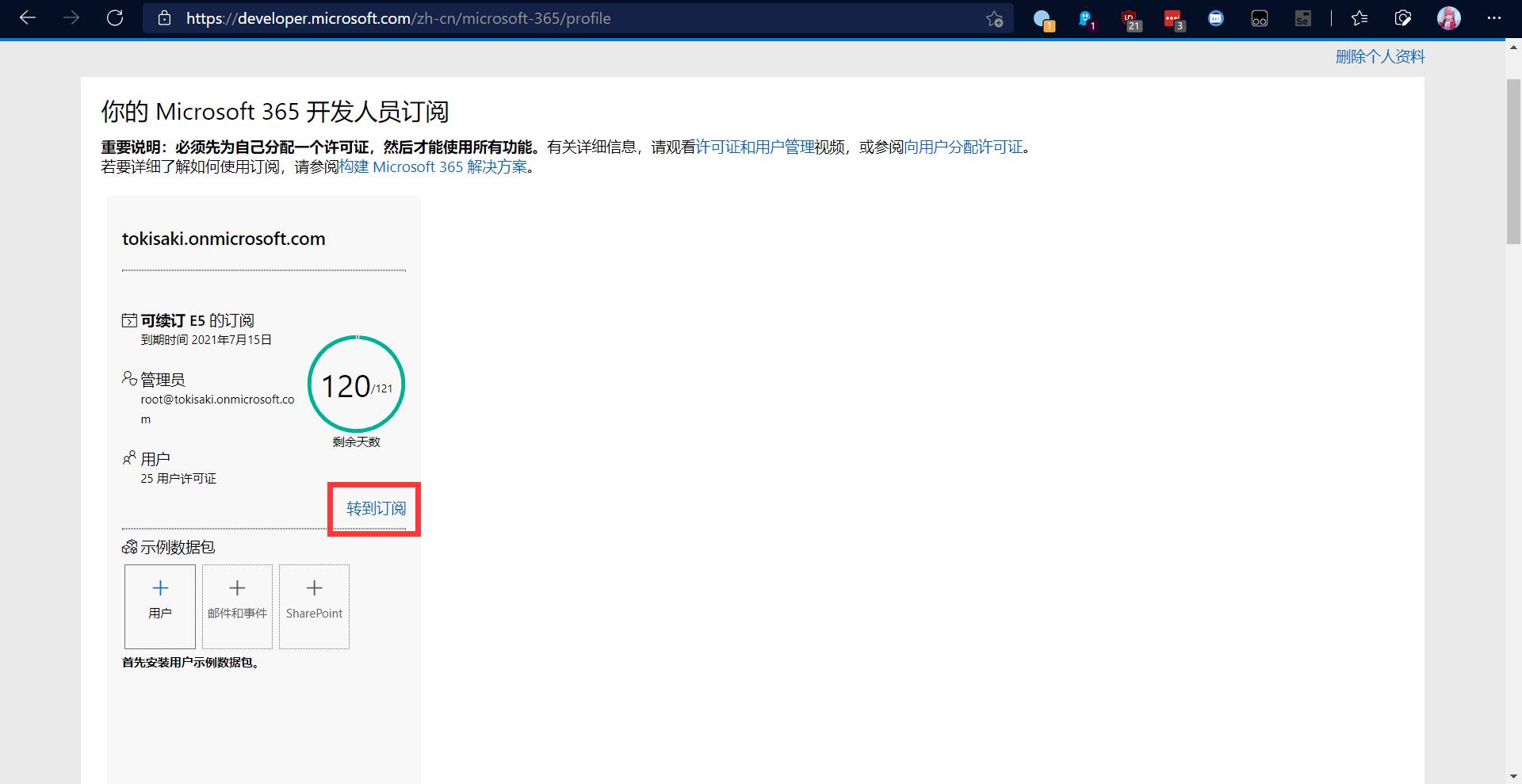
Now, we’ve applied for the E5 subscription. If you’re only using it yourself, you can already log into Office and OneDrive on your computer with “username@domain.onmicrosoft.com” and the password you set earlier.
It’s best to use a proxy when entering the admin panel, otherwise some regions in China won’t be able to load it.
Go to Admin -> Users -> Active users -> click the username -> Licenses and users, add it, then click Apply.
OneDrive
Setting the 5T Drive Capacity
The default OneDrive capacity is 1T, but you can change it to 5T through settings. (Strongly recommended to change it to 5T)
There are at most 25 users under one domain, so at most you can have 25*5T=125T of cloud storage. You can also change the recycle bin retention time.
To modify the default capacity:
-
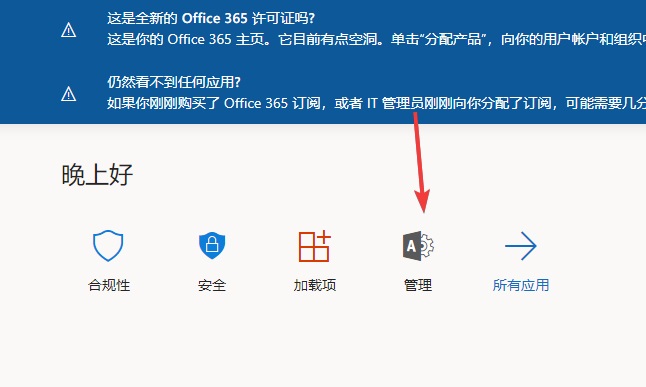
Open the Microsoft 365 admin center, click here to go ✈ and log in with your E5 admin account.
-
Click “Show all” at the bottom-left, click the “SharePoint” that appears after expanding, open it, and go to Settings on the left, where you can modify the default OneDrive allocation size.
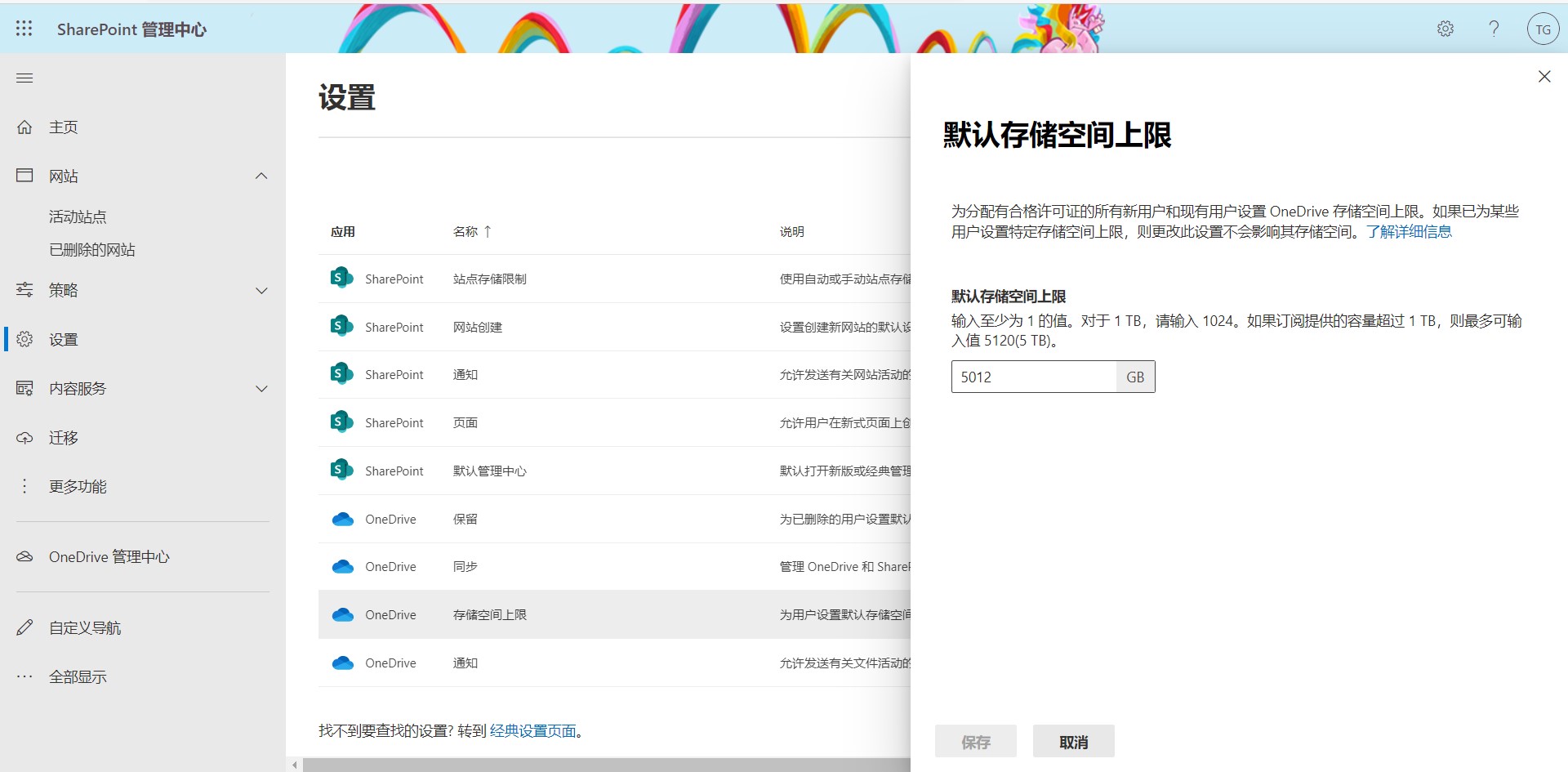
Explore the rest yourself, I won’t go into detail.
Miscellaneous Notes
It’s best to bookmark the admin panel so you don’t lose track of it
Auto-Renewal Tutorial
The first Office E5 subscription is valid for 90 days. After it expires, a check is performed to determine whether you’re still qualified to keep freeloading.
The principle of infinite renewal is calling the API multiple times to make Microsoft believe you’re a developer, so it lets you freeload (auto-renew) the E5. So renewal is not 100% guaranteed; it depends on Microsoft’s mood.
(Although the odds of success are quite high, I still need to warn you, just in case)
The Telegram Method
This is the first choice, the simplest. Add this bot, then just follow the prompts step by step. Remember to set the bot to muted, or it will drive you crazy with notifications.
The GitHub Actions Method
Another one of the countless uses of GitHub Actions.
Just follow the tutorial step by step. It’s pretty simple.
The OneIndex Method
Strictly speaking, this isn’t a standalone renewal method; renewal is just a byproduct of it. But I’ll include it anyway (after all, it does renew).
This one has a lot to say, so I’ll open a separate topic some other day. This thing is basically a third-party OneDrive client. Today is the new Rainbow Six season, and I need to go rank up.